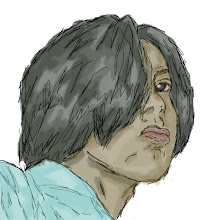
Fatalist
 DeathNote Misa
 PaperWorks
This are just some of the layouts I created during summer. Though it may not be as good as other overlay layouts out there, it served its purpose. That is I was able to practice and learn some techniques in GIMP (GNU Image Manipulation Program). I'm not really into photoshop, since my computer freezes every time I use photoshop for prolonged periods. Even if my design is not attractive, it pisses me off every time my computer freezes because the image will be lost. So I tried using GIMP and thankfully, it did not disappoint me. But using another Image Editor means that I have to start from scratch. But the good thing was, GIMP is pretty much like using Photoshop. I used GIMP in all of this creations, and I must say that most of it turned out pretty well. The slacker that I am, I tend to stop creating and just watch movies and read mangas in the internet. But when I feel motivated, I can create two layouts in a day. Creating a design is just the first part, the next one is turning it into a working layout in friendster. I use ImageReady when slicing the images. After image slicing, the coding begins. Coding the layout is the quickest part. Since Friendster already have modules for the comments area, about me stuff, etc... All I have to do is put finishing touches to give it a more personalized look. And thats it! The Working layout is created! But all of the layout I made is just IE exclusive. That's because there are some parts of the CSS which is not applicable to Mozilla Firefox and vice versa. But hey, I' m still learning...... ^^,